
Pilih Bahasa

Form 706 Schedule R-1 – Fillable PDF

  1. Negara USA
  2. Bahasa Inggeris
  3. Aktiviti Cukai
  4. Jabatan Perkhidmatan Hasil Dalam Negeri
Isi borang ini
Form 706 Schedule R-1 – Fillable PDF

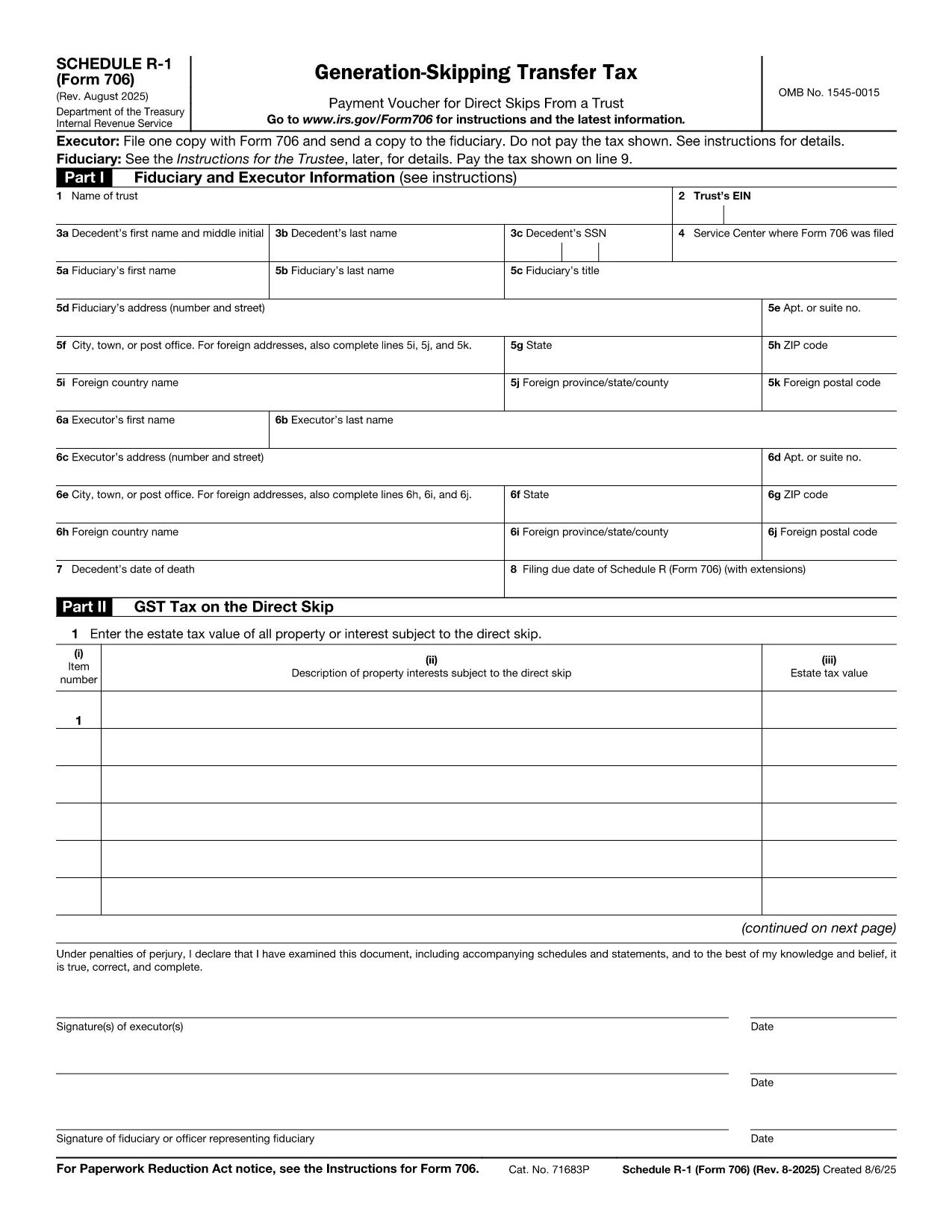
Schedule R-1 is a supplemental attachment to the United States Estate (and Generation‑Skipping Transfer) Tax Return, Form 706. It reports the amount of the generation‑skipping transfer (GST) tax that applies to certain trust and estate distributions.

Using Formize, you can open the official IRS Schedule R-1 PDF directly in our browser‑based filler, edit every field, and save a completed, printable copy—no download‑and‑install PDF editor required.

Our online tool preserves the exact layout and formatting required by the IRS, ensuring your submission meets all technical specifications.

Below you’ll find step‑by‑step instructions, tips for avoiding common mistakes, and answers to the most asked questions about Form 706 Schedule R‑1.

SOALAN LAZIM
  • What is the purpose of Schedule R-1?

    Schedule R-1 reports the amount of generation‑skipping transfer (GST) tax that applies to certain distributions from estates or trusts, allowing the IRS to calculate the correct GST liability.

  • Do I need to file Schedule R-1 with every Form 706?

    Only if you have GST‑taxable transfers that fall under the rules of section 2603(a)(2). If none apply, you can omit Schedule R‑1.

  • Can I file Schedule R-1 electronically?

    Yes. After completing the form with Formize, you can upload the saved PDF to the IRS e‑file system or attach it to a paper filing.

  • What common mistakes should I avoid?

    Watch for incorrect line totals, missing signatures, and failing to attach supporting schedules for each GST‑taxable transfer.

  • Is there a filing deadline for Schedule R-1?

    Schedule R‑1 follows the same deadline as Form 706—generally nine months after the date of death, with a possible six‑month extension.

  • Do I need a tax professional to complete Schedule R-1?

    While not required, many estates benefit from professional guidance due to the complexity of GST rules.

  • How do I correct an error after filing?

    Submit a corrected Form 706 with an updated Schedule R‑1, clearly marking it as “Amended” and referencing the original filing.

BAGAIMANA UNTUK

Cara mengisi Form 706 Schedule R-1 secara percuma, dalam talian dalam 4 langkah mudah:

  1. 1
    Open the Fillable Form
    Click the "Fill out this form" button on this page. The Formize PDF Filler will load the Schedule R-1 PDF directly in your browser.
  2. 2
    Enter Your Information
    Type into each field just as you would on paper. The filler automatically saves your entries as you go.
  3. 3
    Validate the Data
    Use the built‑in validation to check totals and required fields before finalizing.
  4. 4
    Download or Print
    When you’re done, download the completed PDF or print it directly for mailing to the IRS.
Bentuk apl Pengisi PDF
TENTANG

Borang cukai

Form 706 Schedule R-1 ialah salah satu borang Cukai yang merupakan dokumen yang digunakan untuk melaporkan maklumat yang berkaitan dengan cukai kepada pihak berkuasa cukai yang berkaitan. Terdapat pelbagai jenis borang cukai, termasuk borang cukai persekutuan, negeri dan tempatan, yang boleh berbeza-beza bergantung pada keadaan dan lokasi pembayar cukai.

CIRI-CIRI

Pengisi PDF

Cara paling mudah untuk mengisi Form 706 Schedule R-1 dalam talian

  • Cepat isi Form 706 Schedule R-1
    Mencari cara untuk mengisi Form 706 Schedule R-1 dengan cepat dalam talian? Dengan pengisi borang PDF percuma dalam talian kami, anda akan tahu cara mengedit dan mengisi dokumen pdf ini dalam masa kurang daripada satu minit.
  • Mudah untuk menggunakan editor PDF dalam talian
    Bosan dengan mencetak fail PDF supaya anda boleh mengeditnya, sebelum mengimbas semula dan menghantarnya semula? Edit dokumen PDF secara percuma dalam talian. Gunakan editor pdf dalam talian kami untuk menjimatkan masa dan kertas.
  • Alat yang hebat, semua platform
    Tertanya-tanya cara mengisi Form 706 Schedule R-1 pada Mac, atau mungkin cara menggunakan pengisi PDF secara percuma? Alat PDF dalam talian kami berfungsi pada semua platform.
  • Simpanan fail selamat
    Fail "Form 706 Schedule R-1" yang lengkap disimpan dalam pangkalan data selamat yang diuruskan oleh pengehosan Amazon Cloud. Anda boleh memadamkan fail anda daripada sistem kami pada bila-bila masa. Walau apa pun, fail ini dipadamkan secara automatik selepas 24 jam.
  • Sembang dengan Form 706 Schedule R-1
    Sembang dengan "Form 706 Schedule R-1" di Chatize yang merupakan pembantu pembaca PDF percuma. Tanya soalan dan dapatkan jawapan daripada "Form 706 Schedule R-1". Cuma klik pada butang Sembang Dengan Dokumen di atas.

Padamkan sesi pengisian

Padamkan sesi pengisian yang dipilih? Dalam kes ini, kemajuan anda dalam melengkapkan borang akan hilang.

Padamkan sesi penyuntingan

Padamkan sesi penyuntingan yang dipilih? Dalam kes ini, kemajuan anda dalam membuat dan mengedit borang akan hilang.