

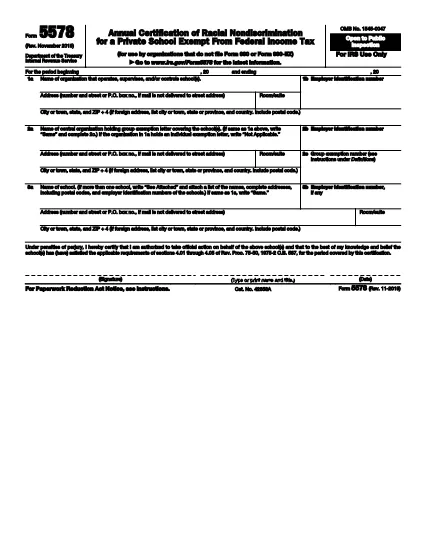

Formulare ale Serviciului de venituri interne (IRS).
Form 5578 este unul dintre formularele fiscale oficiale utilizate în Statele Unite pentru a raporta venituri, pentru a solicita deduceri și credite, pentru a calcula obligațiile fiscale și pentru a îndeplini alte obligații legate de impozite. IRS este agenția federală responsabilă de administrarea și aplicarea legilor interne privind veniturile din Statele Unite.
Iată câteva exemple de formulare Internal Revenue Service:
Formular 1040: acesta este formularul principal de declarație de impozit pe venitul individual utilizat de majoritatea contribuabililor. Este folosit pentru a raporta diferite tipuri de venituri, pentru a solicita deduceri și credite, pentru a calcula obligația fiscală și pentru a determina dacă un contribuabil datorează impozit suplimentar sau are dreptul la o rambursare.
Formular 1099: există diferite variante ale formularului 1099, cum ar fi 1099-MISC, 1099-INT, 1099-DIV etc. Aceste formulare sunt folosite pentru a raporta veniturile primite de persoane fizice sau de întreprinderi din diverse surse, altele decât munca, cum ar fi munca independentă venituri, venituri din dobânzi, venituri din dividende și venituri din chirii.
Formular W-2: acest formular este folosit de angajatori pentru a raporta salariile plătite angajaților și impozitele reținut din plata lor. Angajații folosesc informațiile din formularul W-2 pentru a-și completa declarațiile fiscale individuale.
Formular 941: Angajatorii folosesc acest formular pentru a raporta taxele de muncă, inclusiv impozitul federal pe venit reținut, impozitul de asigurări sociale și impozitul Medicare, pentru angajații lor.
Formular 1065: acest formular este utilizat de parteneriate pentru a-și raporta veniturile, deducerile și obligațiile fiscale. Parteneriatele în sine nu plătesc impozit pe venit; în schimb, partenerii raportează partea lor din venitul parteneriatului în declarațiile lor fiscale individuale.
Formular 1120: acesta este formularul de declarare a impozitului pe venit utilizat de corporațiile C pentru a-și raporta veniturile, deduceri și obligații fiscale.
Formular 990: acest formular este utilizat de organizațiile scutite de impozite, cum ar fi organizațiile nonprofit și organizațiile caritabile, pentru raportați informațiile financiare, activitățile și conformitatea cu legile fiscale.
Formular 8862: acest formular este folosit de contribuabilii care au solicitat anterior Creditul pentru impozitul pe venit realizat (EITC) dar a fost interzis și acum vreau să-l revendice din nou.
Acestea sunt doar câteva exemple ale numeroaselor formulare IRS care există pentru a îndeplini diverse obligații legate de impozite. Formularele specifice necesare unei persoane sau unei afaceri depind de circumstanțele unice, sursele de venit și deducerile acestora. Este recomandabil să consultați site-ul oficial al Internal Revenue Service (www.irs.gov) sau să solicitați consiliere fiscală profesională pentru a obține informații exacte și actualizate cu privire la IRS specific. formulare relevante pentru situația dvs. fiscală.