


Formularze podatkowe
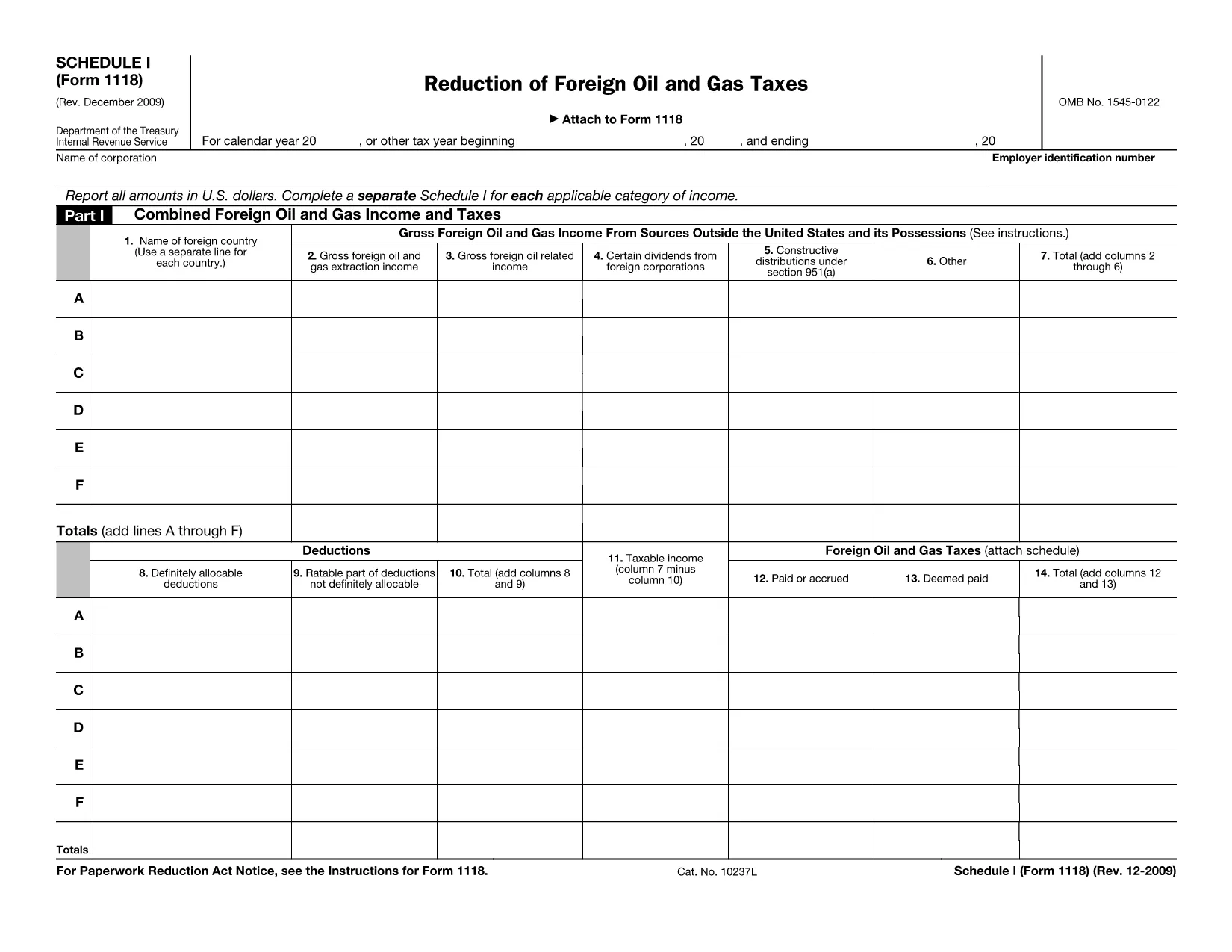
Form 1118 Schedule I to jeden z formularzy podatkowych, czyli dokumentów służących do zgłaszania dochodów, odliczeń i zobowiązań podatkowych właściwemu organowi podatkowemu. Formularze te stanowią istotną część procesu składania zeznań podatkowych i służą do zapewnienia, że osoby fizyczne i przedsiębiorstwa przestrzegają przepisów podatkowych oraz dokładnego obliczenia swoich zobowiązań podatkowych.
Konkretne wymagane formularze podatkowe mogą się różnić w zależności od czynników takich jak status zgłoszenia danej osoby, źródła dochodu i przepisy podatkowe obowiązujące w danym kraju. Oto kilka popularnych typów formularzy podatkowych:
Formularze podatku dochodowego od osoby fizycznej: formularze te, takie jak seria 1040 w Stanach Zjednoczonych, są używane przez osoby fizyczne w celu zgłaszania swoich dochodów, ubiegania się o odliczenia i ulgi oraz obliczania zobowiązania podatkowego.
Formularze podatkowe: firmy, w tym spółki jednoosobowe, spółki osobowe, korporacje i osoby prowadzące działalność na własny rachunek, mogą być zmuszone do składania różnych formularzy w celu zgłoszenia swoich dochodów, wydatków i należnych podatków. Przykładami są załącznik C (zysk lub strata z działalności gospodarczej) i formularz 1120 (zeznanie podatku dochodowego od osób prawnych w USA).
Formularze podatku od zatrudnienia: pracodawcy mają obowiązek zgłaszać wynagrodzenia pracowników oraz pobierać i odprowadzać podatki od wynagrodzeń. W tym celu wykorzystywane są formularze takie jak W-2 (zeznanie dotyczące wynagrodzeń i podatków) oraz 941 (kwartalne federalne zeznanie podatkowe pracodawcy).
Formularze konta inwestycyjnego i emerytalnego: te formularze służą do zgłaszania dochodów z inwestycji, zysków i strat kapitałowych, a także składek i wypłat z kont emerytalnych. Przykłady obejmują formularz 1099-DIV (dywidendy i wypłaty) oraz Formularz 5498 (Informacje o wpłatach na konto IRA).
Formularze podatku od nieruchomości i darowizn: w przypadku śmierci osoby lub przekazania znaczących prezentów należy skorzystać z określonych formularzy, takich jak formularz 706 (zeznanie podatkowe dotyczące majątku spadkowego (i przeniesienia z pominięciem pokolenia) w Stanach Zjednoczonych) i formularz 709 (zeznanie podatkowe w Stanach Zjednoczonych dotyczące darowizn (i pokoleniowych) Pominięcie transferu) Zeznanie podatkowe) służą do zgłaszania i obliczania wszelkich obowiązujących podatków od nieruchomości lub darowizn.
Należy pamiętać, że przepisy i formularze podatkowe mogą zmieniać się z biegiem czasu, dlatego osoby fizyczne i firmy powinny skonsultować się z właściwym organem podatkowym lub zasięgnąć profesjonalnej porady podatkowej, aby zapewnić zgodność z obecnymi wymogami.