

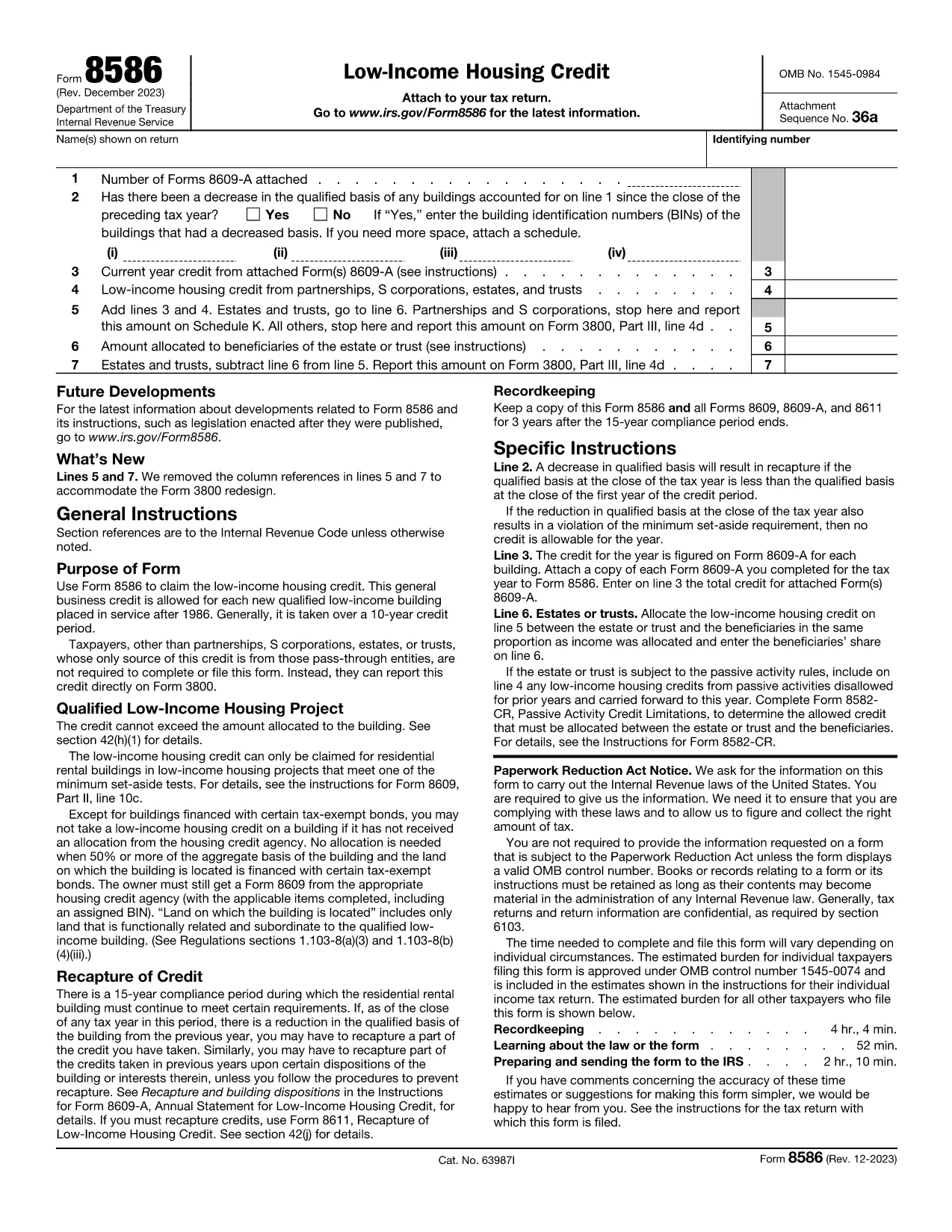

Borang cukai
Form 8586 ialah salah satu daripada borang Cukai yang merupakan dokumen yang digunakan untuk melaporkan pendapatan, potongan dan liabiliti cukai kepada pihak berkuasa cukai yang berkaitan. Borang ini merupakan bahagian penting dalam proses pemfailan cukai dan digunakan untuk memastikan individu dan perniagaan mematuhi undang-undang cukai dan mengira kewajipan cukai mereka dengan tepat.
Borang cukai khusus yang diperlukan boleh berbeza-beza bergantung pada faktor seperti status pemfailan individu, sumber pendapatan dan undang-undang cukai negara. Walau bagaimanapun, berikut ialah beberapa jenis borang cukai biasa:
Borang Cukai Pendapatan Individu: Borang ini, seperti siri 1040 di Amerika Syarikat, digunakan oleh individu untuk melaporkan pendapatan mereka, menuntut potongan dan kredit, dan mengira liabiliti cukai mereka.
Borang Cukai Perniagaan: Perniagaan, termasuk syarikat milikan tunggal, perkongsian, syarikat dan individu yang bekerja sendiri, mungkin perlu memfailkan pelbagai borang untuk melaporkan pendapatan, perbelanjaan dan cukai mereka yang terhutang. Contohnya termasuk Jadual C (Untung atau Rugi daripada Perniagaan) dan Borang 1120 (Pulangan Cukai Pendapatan Perbadanan A.S.).
Borang Cukai Pekerjaan: Majikan dikehendaki melaporkan gaji pekerja dan menahan serta menghantar cukai gaji. Borang seperti W-2 (Penyata Gaji dan Cukai) dan 941 (Nyata Cukai Persekutuan Suku Tahunan Majikan) digunakan untuk tujuan ini.
Borang Akaun Pelaburan dan Persaraan: Borang ini digunakan untuk melaporkan pendapatan pelaburan, keuntungan modal dan kerugian, serta sumbangan dan pengagihan daripada akaun persaraan. Contohnya termasuk Borang 1099-DIV (Dividen dan Pengagihan) dan Borang 5498 (Maklumat Sumbangan IRA).
Borang Cukai Harta Pusaka dan Hadiah: Apabila seseorang meninggal dunia atau membuat hadiah penting, borang khusus seperti Borang 706 (Penyata Cukai Harta Pusaka Amerika Syarikat (dan Pemindahan Melangkau Generasi)) dan Borang 709 (Hadiah Amerika Syarikat (dan Generasi- Skipping Transfer) Tax Return) digunakan untuk melaporkan dan mengira sebarang cukai harta pusaka atau hadiah yang berkenaan.
Adalah penting untuk ambil perhatian bahawa undang-undang dan borang cukai boleh berubah dari semasa ke semasa, jadi individu dan perniagaan harus berunding dengan pihak berkuasa cukai yang berkaitan atau mendapatkan nasihat cukai profesional untuk memastikan pematuhan dengan keperluan semasa.